Our game has changed a lot since it came out in 2021. Over the past five years, we've added a lot of new content and features for you to enjoy. The Metallic Valley, Crystal Caverns, Fungal Swamp, and Cryo Field biomes bring more variety to the original four biomes. We've also added hundreds of new technology items to help you take on the challenges in these areas. The expanded endgame campaign gives you something new to work toward after finishing the main story. And of course, we can't forget multiplayer mode. It took us a bit longer than planned, but it's become a big reason why many of you still play. These updates are easy to spot on the release calendar. But there's another change, or a series of changes, that's harder to pinpoint on our development roadmap: the graphics. Today, we want to give you a quick look at how the graphics in The Riftbreaker have evolved.
Here's our 'origin story' video, showing the progress we made during the development of Zombie Driver.
Before we dive into The Riftbreaker, let's talk about our game engine, The Schmetterling, and how it came to be. We built it because we needed a solution. Our first big release at EXOR Studios was D.I.P.R.I.P., a total conversion mod for Half-Life 2. At that time, we used free tools and didn't expect to earn anything from our games. We soon realized this approach wasn't sustainable, so we needed a way to support our future projects. That meant making our own game. We came up with the idea for Zombie Driver, but before we could start, we had to pick a game engine. All the commercial engines were way too expensive - licenses cost hundreds of thousands of dollars. That didn't fit with our zero-budget approach, so we had to look for another way.
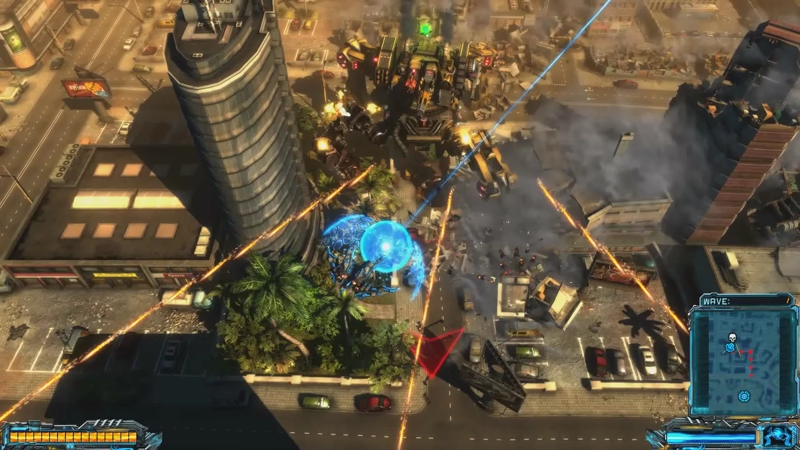
X-Morph: Defense, released in 2017, brought many improvements, including more spectacular physics interactions. However, it used many outdated techniques that were blocking our progress.
Fortunately, we found the OGRE Engine, which was free under the MIT license. That fit our budget perfectly! The team took the renderer from Ogre and built everything else in-house. Ogre handled drawing pixels on screen - it didn't touch gameplay systems, tools, platform code, or anything else that makes a game an actual game. As the project grew, that split became a problem. Ogre wasn't built for the kind of cross-platform work EXOR needed. So the team built the EXOR Abstraction Layer, decoupling the engine from any single rendering backend and eventually porting the game across platforms.
This was the actual engine. Ogre was one component inside it, responsible for one job. Everything else, from the ground up, was EXOR's own code. We called it 'The Schmetterling Engine'. Why that name? Schmetterling means butterfly in German, and while our engine is fast and lightweight, we mostly just thought it was a funny word. The engine continued to evolve as we moved from Zombie Driver to X-Morph: Defense. The Schmetterling Engine eventually became the foundation for The Riftbreaker, but first, it needed some new features. So we started working on version 2.0.

This is our first attempt at our classic 'mech running through the jungle' clip. You can notice that we were quite eager to use the new powers that PBR rendering gave us. The 'wet' ground turned out glossy like polished marble. It might have been physically accurate, but not correct.
The biggest difference between Schmetterling 1.0 and 2.0 is the rendering method. The 1.0 version relied on Phong diffuse-specular shading. In version 2.0, we switched to more accurate physically based rendering. If you don't care about detailed descriptions, here's the tl;dr: Phong is an empirical model. It fakes shininess with a handful of numbers, like specular color and a "shininess" exponent, chosen by an artist because they look cool, not because they describe how the material actually behaves. Nothing in the model is tied to real-world material properties, and nothing stops a surface from reflecting more light than it receives.
On the other hand, PBR uses real material properties, like roughness and metalness, to determine how a surface scatters light. It uses a lighting model that conserves energy: a surface can never reflect more light than it takes in. This guarantees consistent behavior under all lighting conditions. Here's a great, interactive page that can show you what PBR is all about. It was a completely new experience for us, requiring us to learn a new graphics production pipeline. As you can see in the examples above, the first attempts were slightly off. It took us some time to learn how to make our materials look good. In the early days, even Mr. Riggs' suit looked different. Over time, we learned to use PBR properties properly and applied that knowledge to improve materials across the entire game.
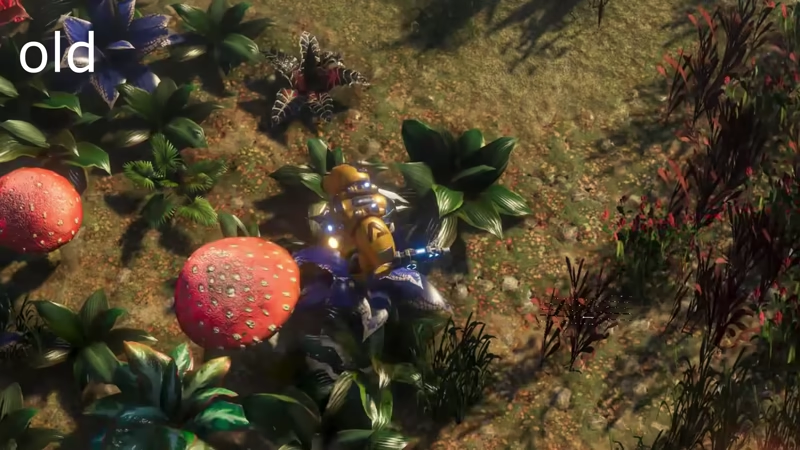
The first version of the texture on Mr.Riggs' armor was more orange than yellow, did not bring out any detail and reflected light in a way we weren't happy with. We improved it before the official release of the game.
We made many other small changes before releasing our first demo. We learned how to use our new lighting system (you can read more here), which let us take full advantage of the PBR pipeline. After that, we set up a day-and-night cycle (details here). We also replaced our old Screen-Space Ambient Occlusion with Horizon-Based Ambient Occlusion, which handles complex shapes and uneven surfaces much better and helps us create more realistic indirect lighting. We were happy with these improvements. In June 2020, you could try them yourself when we released our first demo during Steam Next Fest. But we still had more to show.
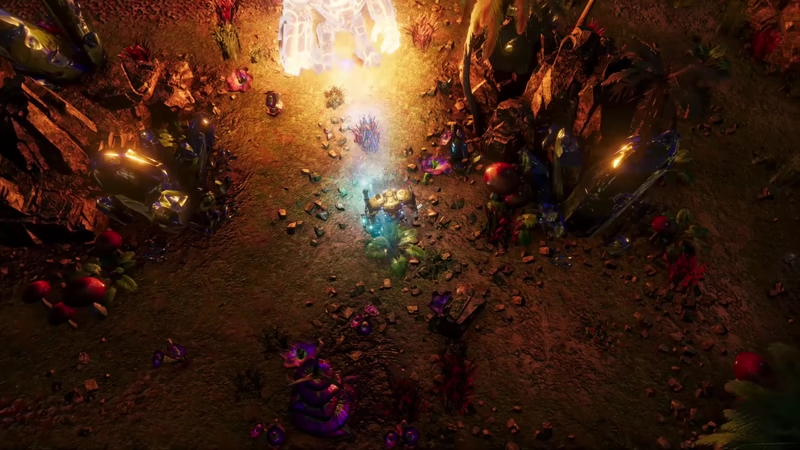
Back then, we weren't able to have multiple shadow-casting light sources in one scene. DXR gave us that possibility. We later introduced improvements that made it possible without the use of raytracing.
At the end of 2020, we showed off the DirectX 12 raytracing (DXR) we'd been working on. Raytracing let us create pixel-perfect shadows from multiple light sources, so it wasn't just Mr. Riggs' spotlight casting shadows at night. If you ran into another strong light, like a boss creature, both lights would cast detailed, dynamic shadows. DXR also helped us make shadows more realistic by softening them as the light source became more diffused. For example, a rock's shadow would be sharp in sunlight but get softer if it was cloudy, just like in real life. We also added Raytraced Ambient Occlusion to make the graphics even better. Unfortunately, we had to remove DXR features from the game due to issues beyond our control, but we found other ways to make up for it.
Here's a showcase video for our Screen Space Reflections. You can really see the difference in these on/off scenarios.
In late 2022, we added AMD FidelityFX Stochastic Screen Space Reflections (SSSR). This let us show real-time reflections of buildings and map props on reflective surfaces like metals and liquids. Before SSSR, reflective surfaces relied on the skybox rather than what was actually happening in the scene. It might not sound as flashy as raytracing, but it makes a real difference. Reflective floors, wet surfaces, and Morphium all look noticeably better reflecting the actual scene around them instead of just the sky. It's one of those upgrades you don't consciously notice until you go back and look at old footage without it.
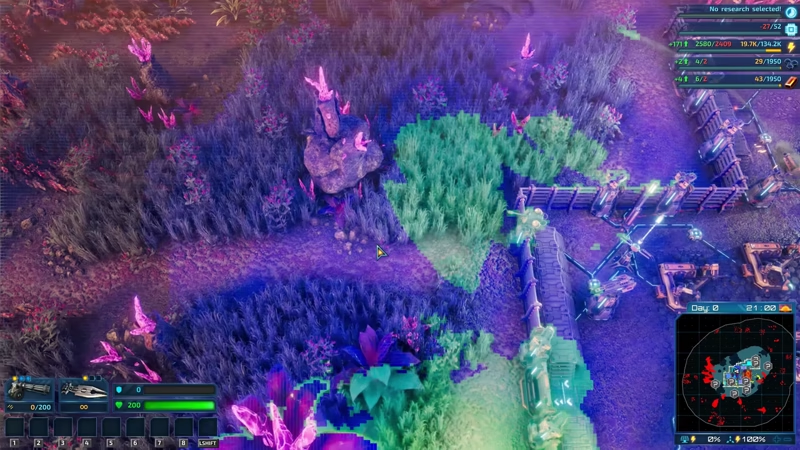
The tiled deferred shading algorithm divides the screen into tiles of 16x16 pixels. Each tile knows exactly how many and which light sources affect it. This allows us to calculate lighting information much more efficiently and grants us additional possibilities.
In early 2023, we made more upgrades to The Schmetterling Engine. We added Tiled Deferred Shading (learn more here), which made the game run much better in scenes with lots of lights. This let us increase shadow map resolution and use several shadow-casting lights at once, even without ray tracing. The tradeoff is a bit less accuracy, but performance is much better. If you look closely, you might notice small differences between the two methods, but they're pretty subtle. Tiled Deferred Shading also made it possible for us to add more improvements later on.
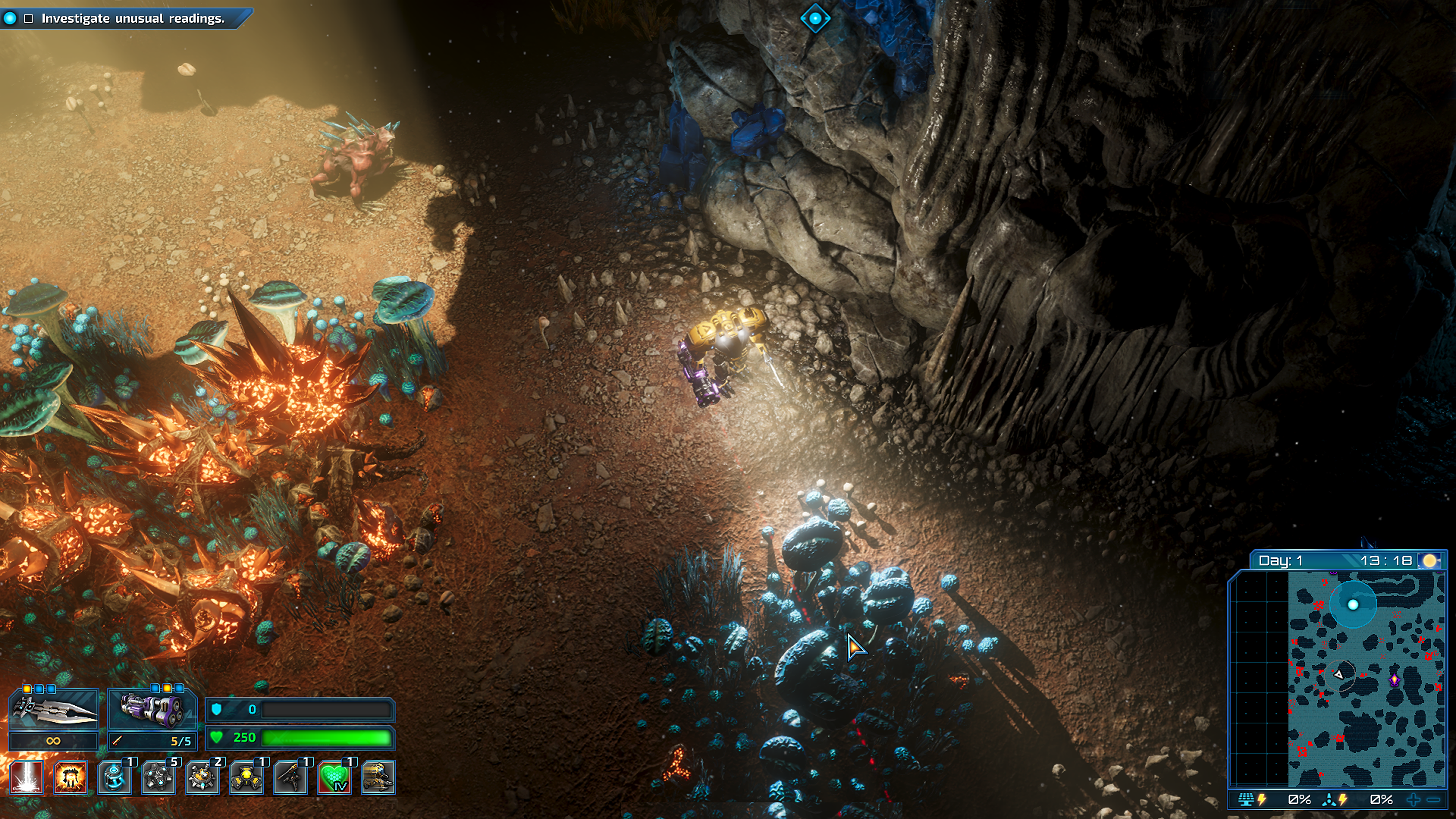
Volumetric lighting effects allow us to simulate things like rays of light shining through a hole in the cavern ceiling. They also allow Mr. Riggs' headlight to scatter more softly.
One of these upgrades came with the release of the Into the Dark DLC and World Expansion 2. Crystal Caverns was the perfect place to introduce Volumetric Lighting (more info here). Volumetric Lighting lets us show how light interacts with particles and air, giving us more control over the game's look. This effect is fully dynamic. For example, we can change the weather to add or remove fog and even adjust its color. We can also tweak fog in certain parts of the map to set the mood. While this isn't a brand new technique, it gave The Riftbreaker a big boost in visual quality.

The last big graphics upgrade for The Riftbreaker was better liquid rendering, thanks to our switch to Tiled Deferred Shading. Before this, we couldn't show transparent surfaces or materials, which is why our buildings didn't have windows. There is one exception to this rule: particle effects materials can be transparent, but in turn they are always unlit. The Heart of the Swamp expansion was the perfect time to add real transparent liquids and effects for how things interact with water. (Read more here) Since this area is full of water and mud, we wanted it to look right. We improved how all liquids look, added decorations to the bottoms of pools, and included details like wave ripples and wakes from objects moving through the water.
WHERE DID RAYTRACING GO?
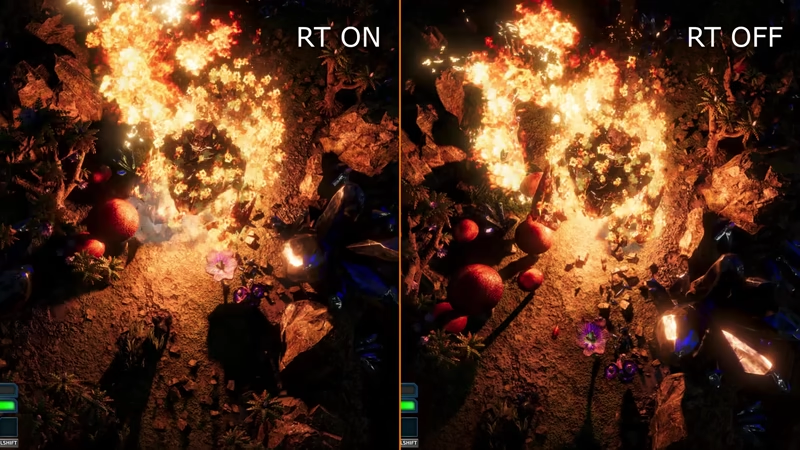
Here's a direct comparison between the raytraced and non-raytraced shadows. Both videos have been recorded on July 16th, 2026 using the Steam build of the game. Thanks to the upgrades we made over the years, the difference is minimal.
Now it's time to address the big question: why did we remove raytracing options from the game? We made this decision after several driver updates caused major instability on some systems. We didn't see these problems during our own testing, but because everyone's PC setup is different, many players started experiencing constant crashes. We waited for updates and fixes, but they never came. Even though it was tough for us, since we put a lot of work into these features, we decided to turn them off for everyone and remove the option from the settings menu. But raytracing isn't completely gone.
If you feel adventurous and want to try playing The Riftbreaker with raytracing enabled today, there is a way to do it. All you have to do is:
This will allow you to enable raytracing options in the game settings menu once more. Keep in mind, we haven't tested raytracing in a long time, so it might be unstable, especially in co-op. But if you want to try it, you can.
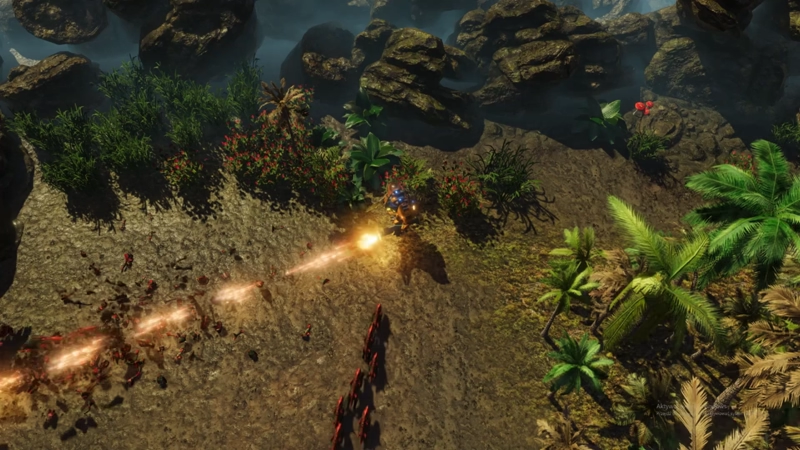
Boy, did we come a long way from this...

...to this! And the best part is that these improvements will benefit us in our future project(s).
The Riftbreaker and The Schmetterling engine have come a long way over the past few years. We've made big improvements to the game's visuals and developed features that will help us in the future. We learned a lot along the way, and we hope you found this interesting too. If you want to get our news as soon as it's out, sign up for our newsletter at https://www.exorstudios.com/blog/#newsletter and join our Discord at https://www.discord.gg/exorstudios. We hope to see you there!
EXOR Studios