
We have always said that keeping in touch with you, our players, is one of the most important things we can do as game developers. Publishing our thoughts consistently, weekly, opens avenues for constructive discussion and allows us to plan for new features and content. In fact, over the course of The Riftbreaker’s history, we have added, removed, and modified countless things in the game thanks to you. Some of those features turned out to be the best parts of the game. Today, we would like to highlight our personal top picks for features we added thanks to our community at various points in The Riftbreaker’s history.
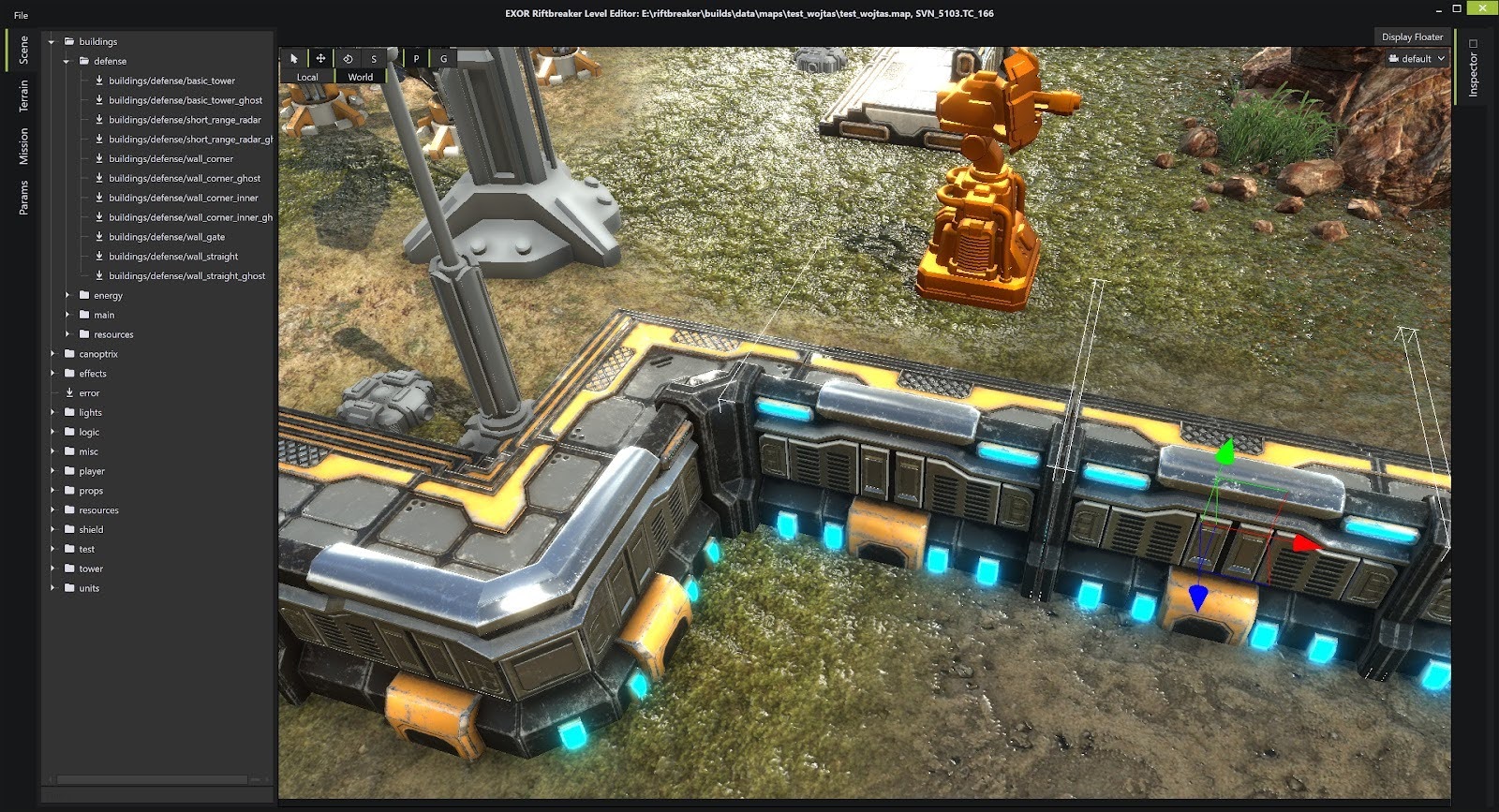
A closer look at the first version of our defensive walls from the Riftbreaker World Editor. All the individual wall pieces were 2x2 structures back then.
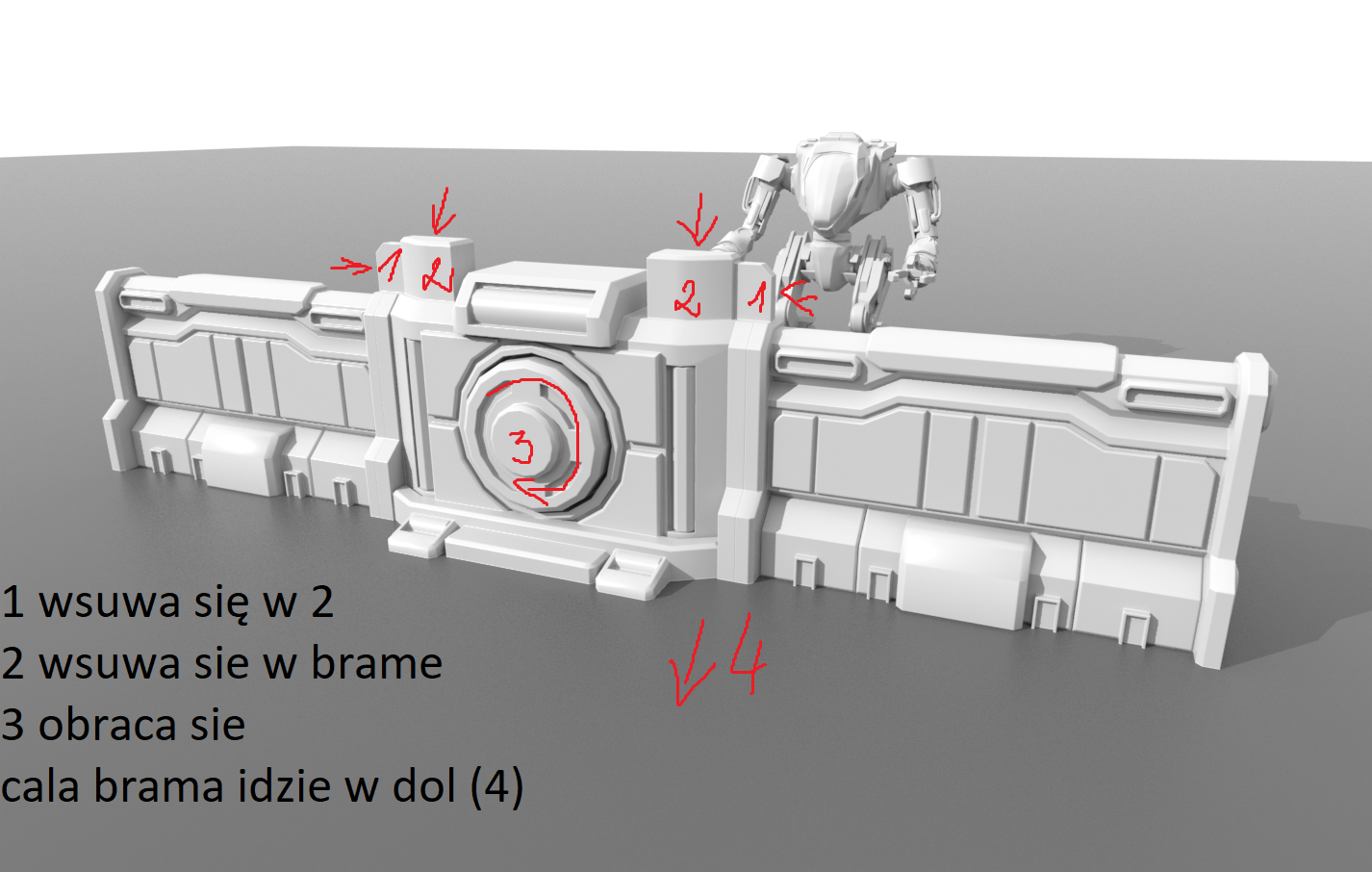
Wider wall pieces were supposed to reduce the number of structures you have to place in order to have a functional defensive setup. Here's a look at the wall pieces with the gate in between and some notes about the planned animation elements.
We have no idea how many of you will remember this part, since it is ancient history by now. We’re going back to 2019 - the year of our first trade shows with The Riftbreaker and closed pre-alpha tests of our demo. It is not a surprise that we changed a ton of things since then, but we want to focus on one structure you always use when playing the game - the walls. In 2019, they were much different from what you’re used to now. First of all, they were 2 grids wide (the same width as the current Wall Gate). Second, they came with the Heightened Wall Floor part as a default, making the wall a 2x2 structure. Last, but not least, each piece had to be built individually. Needless to say, you found these to be a bit cumbersome and suggested improvements. We got to work.
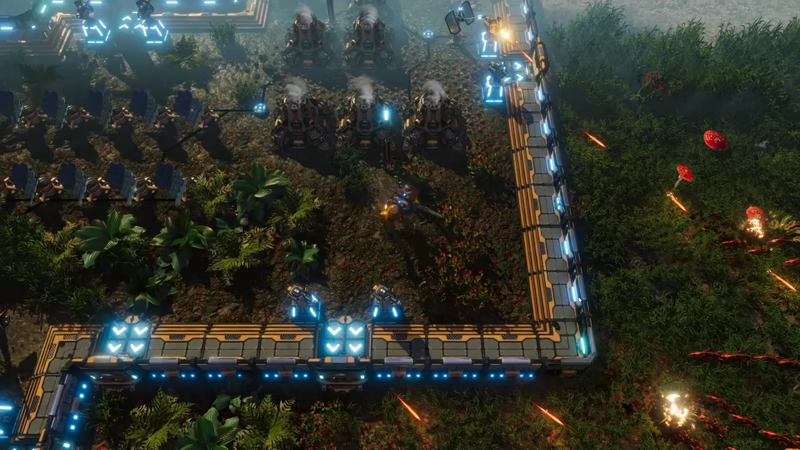
We wanted Mr. Riggs to stay inside the base and shoot over the defensive walls using the attached heightened platforms. You still have this option, but now you are free to build these platforms only where you feel you need them.
The width of 2 grids was problematic because it shoehorned you into building bases in open areas with very little natural protection. If you wanted to build a wall between two rocks, you had to measure whether the gap spans an even number of grids. Otherwise, you had to fill in the gap with a defensive tower. Given the fact that our grid culling algorithm (the part of the code that determines where you can actually place buildings) wasn’t very precise back then, it often resulted in walls that enemies could easily walk past. You also pointed out that the included Heightened Wall Floor made stacking wall pieces awkward, as it greatly reduced the range of defensive towers behind walls. We decided to resize our wall pieces to 1x1 and make them fully stackable.
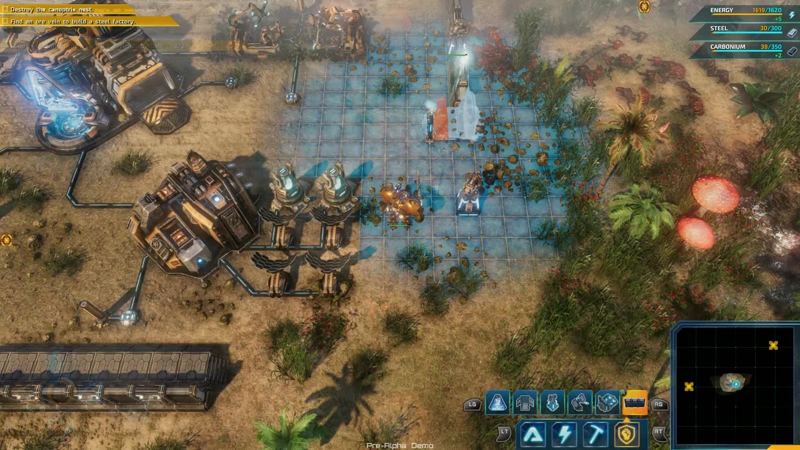
Even after we changed the walls to 1x1 pieces, you couldn't drag the cursor and build wall segments. Each piece started construction immediately when your cursor left the grid. It was very easy to misplace single pieces of the wall, which was a frustrating experience.
However, the most problematic aspect was the building process. Placing hundreds of wall pieces one by one left a lot of room for error. A simple slip of the mouse when clicking, or an imperfect touch of the gamepad analog stick while moving over, would result in building the structure in the wrong spot. Then you would have to select the deconstruction tool manually, wait for the structure to dissolve, and rebuild it. It was a frustrating and lengthy process. Many of you expressed your concerns about this, so we decided to implement the ‘click and drag’ building method you know today. You simply point to the point where you want the wall to start, and drag the cursor to the end point. It is not as simple as it sounds - we had many problems and edge cases to solve, but it was worth it. All thanks to you!
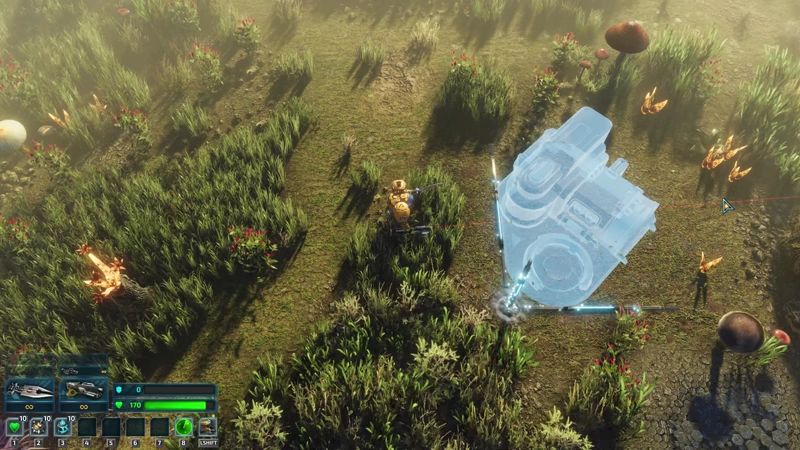
Years later, building up your base is free of the teething problems we experienced in alpha and beta!
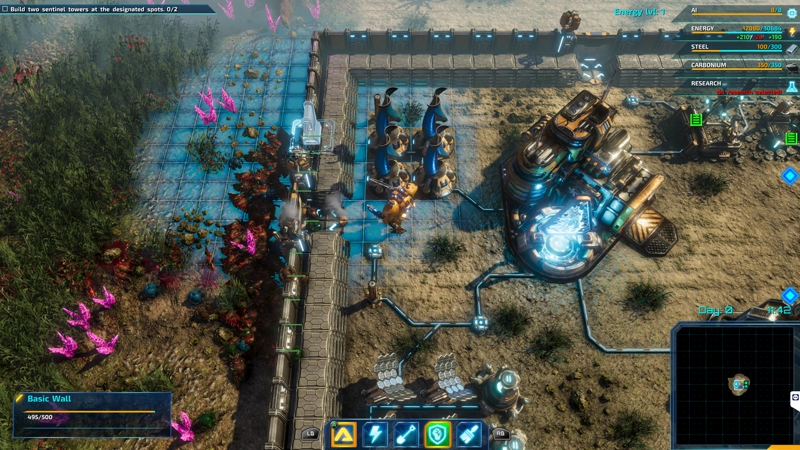
Back when dinosaurs still walked the Earth, this is how we repaired our walls...
The next change you brought about is in a similar vein, but came much, much later in the game's production cycle. This was around late 2020 and early 2021. Many of you had your chance to try the game, either in the (wildly popular!) demo version or during the Closed Alpha and Beta tests. You were tested against the power of the Galatean hordes, and while many emerged victorious, the walls and buildings in your base took tons of damage. Unfortunately, repairing buildings was not easy. All damaged buildings had to be repaired by clicking each and every structure individually. Moreover, you had to keep track of what buildings got destroyed during the attack and manually rebuild them as well. Initially, we planned to make Repair Towers and Mr. Riggs’ repair drones more relevant, but your feedback showed we needed to solve this in another way.
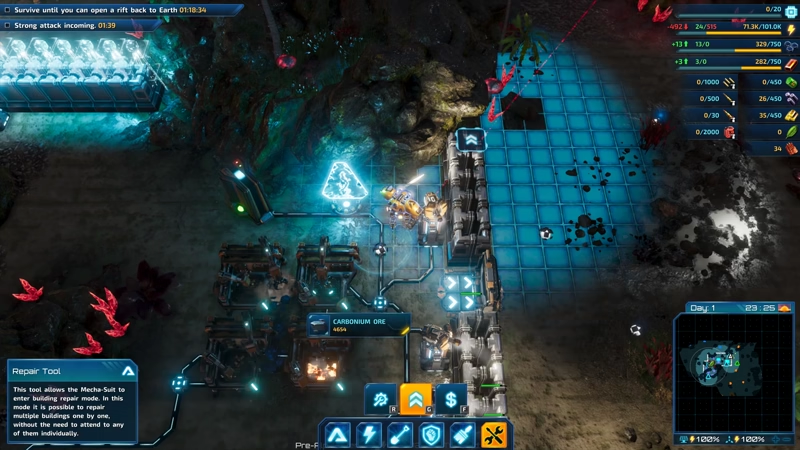
We quickly added the repair/upgrade/sell tools after your feedback. Later, we added the option to increase the selector up to 8x8 grids.
First, we developed tools for mass building repair, upgrade, and deconstruction. All of them work essentially in the same manner. Your cursor becomes a building selector of a chosen size (anywhere from 1x1 to 8x8 grids), which you can simply drag around your screen (in a calm and collected manner, of course!). As long as you’ve got enough resources stored up, your structures will be repaired or upgraded, according to your wishes. Just be careful with the deconstruction tool. That thing doesn’t care about your bank - it will just sell everything and swallow it all up like a supermassive black hole.
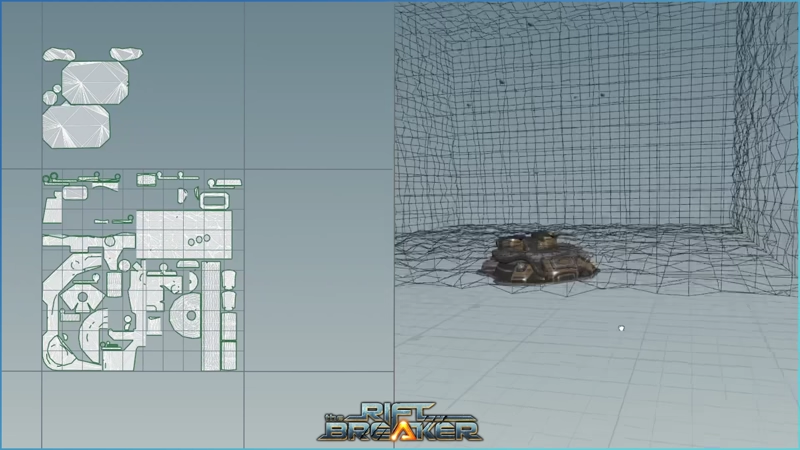
Thanks to Houdini and our graphics team's invention we can procedurally generate building ruins. It saves time for all of us - we don't have to model all ruins manually, and you don't have to guess where your structures were before they got destroyed.
Another upgrade for mass building repairs had to wait until 2023. In 2022, we participated in the Game Development World Championship, where we placed second. One of the prizes for that was a one-year license for Houdini - a powerful tool for procedural generation, visual effects, and much more. There was one small caveat - it is just as powerful as it is difficult to use, and none of us had any previous experience with it. Nevertheless, our brave graphics team jumped on this opportunity to learn something new. As a result, they created a script that procedurally generated building ruins from a game-ready model. Thanks to this, we could prepare decent ruin models for all the structures in the game, retaining their shape, size, and recognizability. From that point onwards, you’d never forget to rebuild your armory - just select ‘repair’ on the ruin, and it is done!
Another change that came about relatively late into development is the addition of minimap-related filter toggles and icons. The minimap in The Riftbreaker is quite simple, since it is generated automatically. It takes the map's topography into account to show you where terrain obstacles and resources are. All the other dynamic objects, like Mr. Riggs, base buildings, and enemies, are drawn on top of the terrain representation. We only specify the color and size of the squares that appear on your end. It was good enough when playing survival, but when you started building up headquarters spanning entire maps and added more outposts in different biomes, it was a bit hard to find your way around. You asked us to make some improvements.
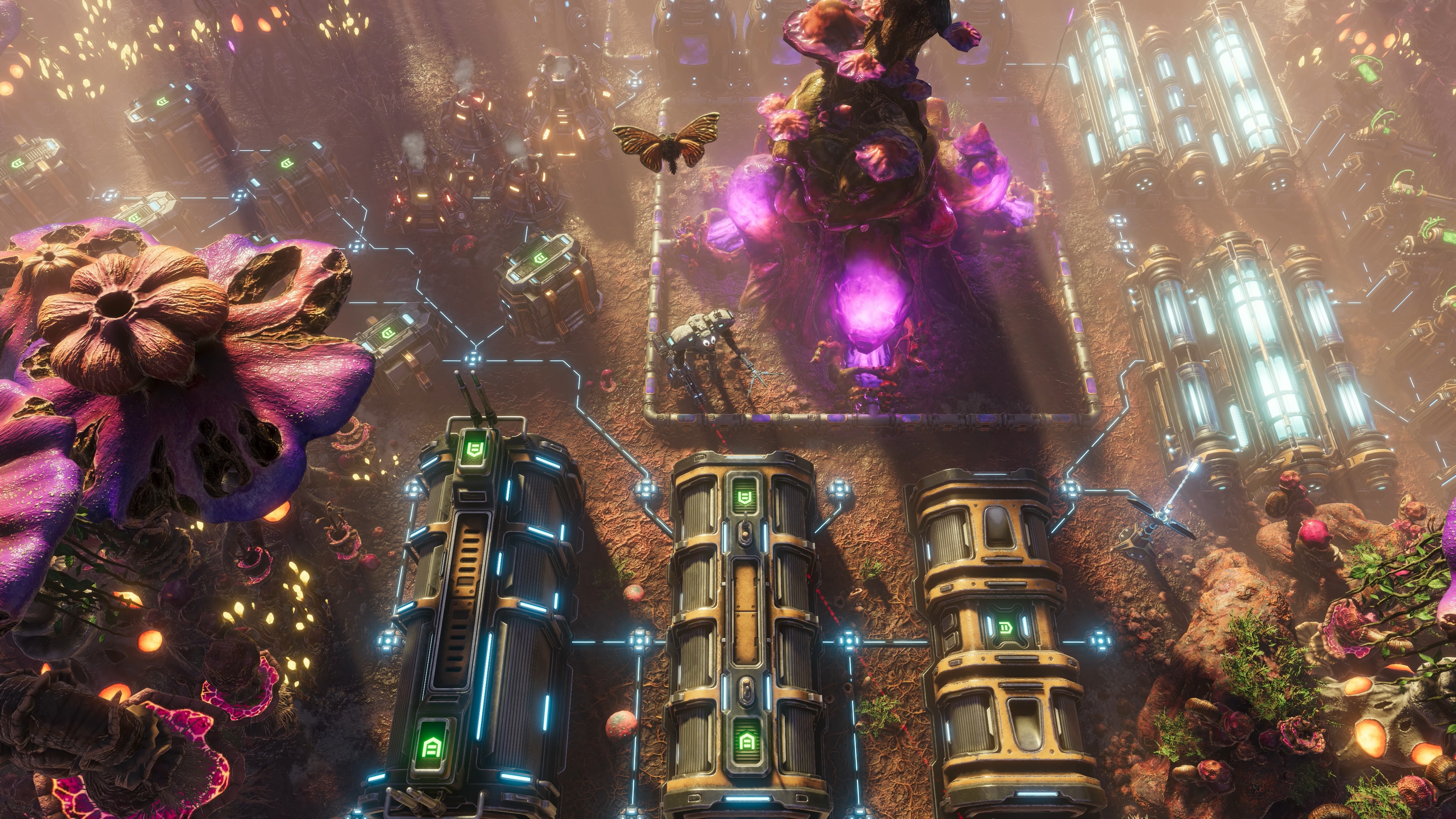
We won't bore you with pictures of the minimap. Have a pretty base instead.
To make it a bit easier to get a grasp on the minimap, we have added several icons for the most important objects and buildings around the base. Resource deposits are now represented by their corresponding icons, eliminating guesswork. You can immediately tell how many Armories and Comm Hubs you have, since they got their own icons as well. However, the most important addition, in our opinion, is the filter toggles. With just a couple of clicks, you can now scan your base for any damaged or destroyed structures. You can see which buildings are upgradeable. You can turn off the display of drones and mines on the map. It seems like a small quality-of-life change, but the potential benefits are massive.
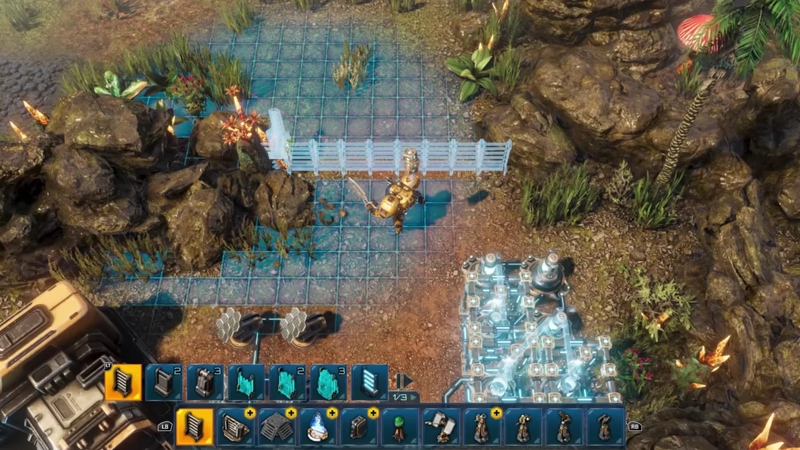
And now, we come to the biggest fan request we have ever completed: the co-op mode. Requests to add co-op mode began as early as 2020. Back then, we were hesitant to promise it - our engine was geared towards single-player mode only, and we weren’t sure if we could even pull this off. However, when the game launched, we received such overwhelming support that we decided to tackle co-op mode. What happened over the next four years was an insane uphill battle: reworking every aspect of the engine, redesigning it, and sometimes losing our minds. Luckily, we documented every step of the way in our “Co-Op When?” articles, which you can find linked below.
Naturally, there are thousands of things big and small that you influenced over The Riftbreaker’s production period. Going over them in full would take ages, so we hope that today's brief stroll down the memory lane has been enjoyable for you. You will even have the opportunity to influence us further, as we are planning to give you another large free update towards the end of the year. The update will focus on Survival Mode and increasing the game's replayability. If that sounds like fun to you, make sure to join our newsletter and the Discord server at https://www.discord.gg/exorstudios - we will run a beta test period, where every voice matters!
See you next week for more Riftbreaker news!
EXOR Studios