There is an old saying in the game industry: “Getting the last 10% done requires 90% of the total effort.” This “proverb*” essentially says that the final layer of polish for any given game is a difficult, demanding process. The game needs to hold its own without any additional fluff, but the attention to detail and subtle features make the difference between a mid game and something special. During the final phase of production, developers often come up with a ton of small details that bring the game world to life. It was no different in The Riftbreaker's case. Today, we would like to highlight some small features that often go unnoticed but play an essential role in shaping the game's atmosphere.
*The word ‘proverb’ implies the existence of ‘noobverb’, and I find it amusing
One feature we are particularly proud of is our dynamic vegetation system. The trees, bushes, mushrooms, and tufts of grass play a large role in creating the right feeling for the players. If these elements were static, you would feel as if you were trapped in a diorama. To avoid that feeling, we have developed a system that allows both you and the atmospheric conditions to interact with the elements of flora.
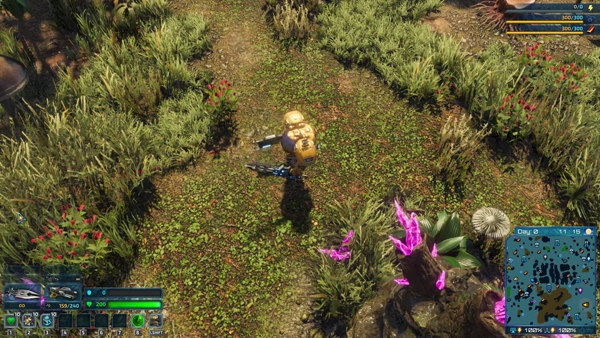
Most living things in the game (we count Mr. Riggs here as well) affect nearby plants by making them bend.
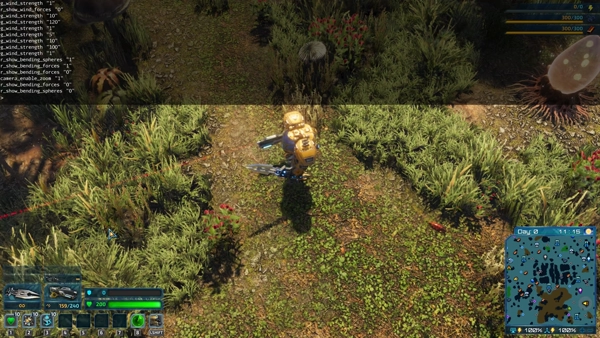
Bending vegetation is made possible by attaching a special component to an entity. Here, it is visualized by the red sphere - that sphere is what collides with the grass and produces the effect.
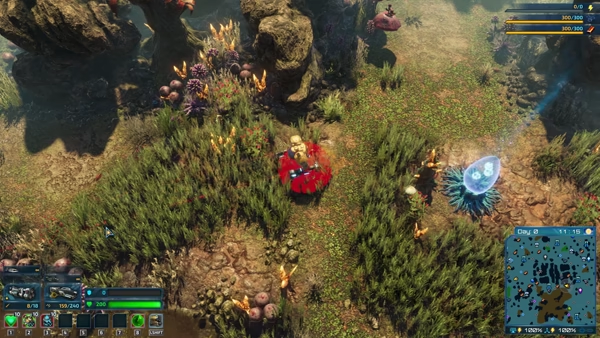
Rockets can do it as well! The possibilities are endless!
To facilitate those interactions, all the entity files for our plants include a VegetationComponent. It is a set of instructions for our game engine that marks those props as interactable plants. The first thing you will notice after equipping a prop with this component is bending. As you walk through the grass, the individual tufts bend away from you, imitating what would happen in real life. This applies to trees as well - if you collide lightly with a tree trunk, it is going to bend away from you and spring back to its original shape. If your angle of approach or speed is too high, you will exceed the maximum bending force. The tree will snap in half as a result.
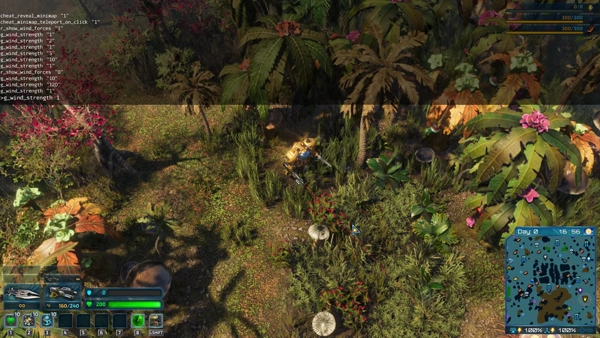
You can try playing around with wind power in the game using the developer console.
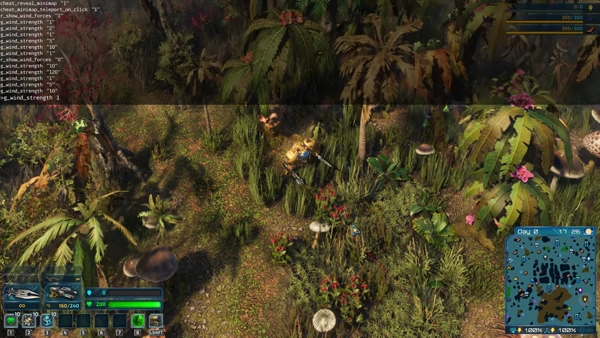
Just be careful not to go too hard, you might get unexpected results.
Our plants also react to other things. Shockwaves, rocket propellers, air turbulence behind bullets - all of these have the potential to bend the vegetation a little. If you want to see this system in full effect, you have to wait until the weather changes. A good portion of the Galatean weather events increase wind speed. Thanks to this, you will see all the plants on your screen sway from side to side in response to the wind forces acting on them. And if you manage to catch a large meteor flying above a forest, you can marvel at the trees ‘giving way‘ to their new cosmic neighbor.

This clip was made in 2020. Still looks quite nice, even with the old version of crystal shaders.
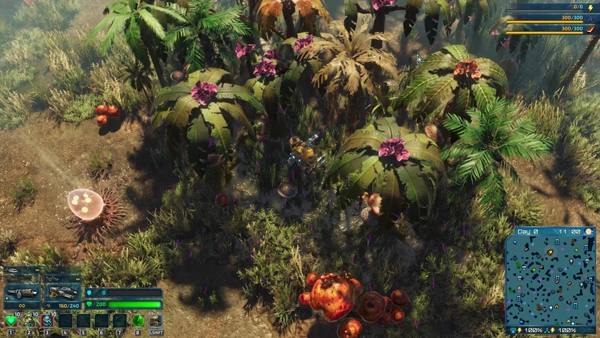
And here's a special tornado fired from our debug gun. The purple lines depict the wind forces that affect the trees.
Developing this system was demanding, as we had to research and implement the ‘springiness’ equation that felt right, but the effects are immediately visible. It doesn’t affect the game's performance much, but you can turn it off in the options menu. We kept it because we understand that some gamers need to reduce screen movement for various reasons, but we are mentioning it to encourage you to experiment! Try disabling this option. You will see why we’re saying it was 100% worth the effort.
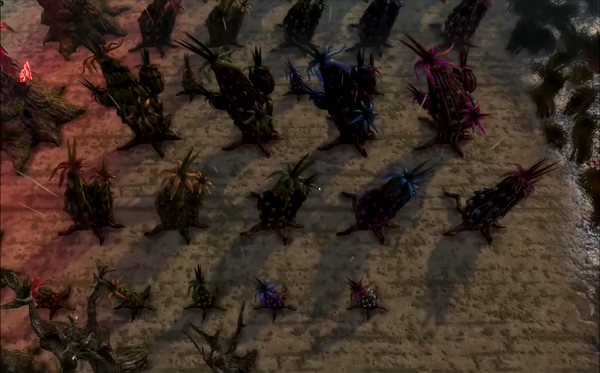
Experimenting with bending forces values was quite fun!
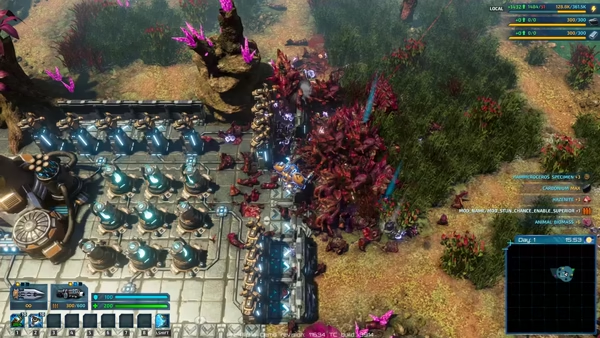
It's safe to say that we had a lot of ideas regarding hiding bodies back in the day...
One of the key features of The Riftbreaker has always been fighting overwhelming hordes of enemies. Apart from the obvious fun gameplay implications, a large number of creatures inevitably poses a problem: what do we do with all the bodies after you’re done hacking, slashing, and kabooming? We needed to limit the maximum number of corpses because even though they are no longer active entities, they still consume system resources that could be better utilized elsewhere. At first, we handled this problem with a magic trick - now you see me, now you don’t. We simply deleted the “oldest” corpses as soon as the number of them crossed the threshold. It’s good enough when you see a pile of dead meat, since you’re very unlikely to notice that one of 483 ex-canoptrixes has gone missing. But what do we do when you have a single enemy body lying on the ground? Do we abracadabra it and have it vanish after some time, or do we keep it forever?

Cockroach apocalypse: Galatea 37 edition.
We decided to take inspiration from nature. Nothing goes to waste - scavengers will happily take care of any organic matter that has reached the end of its road. This is how Quelver came to be - our own take on a super simple scavenger creature. It’s so small that it doesn’t need any animations, detailed geometry, or even complex logic. Quelvers exist in one of three states: wander aimlessly, run away from Mr. Riggs, and, most importantly, eat the corpse. Whenever a dead body appears on the ground, all Quelvers in the area will swarm it, as it gradually disappears. We were very happy with the results - thanks to the little red bugs, we solved one of our problems and made the Tropical Zone feel much more lively. Later on, we made custom scavengers for each biome. Which one is your favorite?

Oh well, only one thing to do if there is too many of them.
As game developers, we have to convey most of the information we want to give you through audio and video. That’s only 2 of the classic 5 human senses, and we must compress everything essential into the images you see and the sounds you hear while playing the game. However, there are ways to go beyond this limitation. Luckily, no one can force us to smell or taste the games we play (imagine the Poogret missions with Smell-O-Vision!), but we have some options to add a little bit of touch and movement to the mix.

Just imagine how TOTALLY AWESOME it would be if we could smell this scene!
The first way to do so is through screen shake. It is a controversial effect. Some people love it; others turn it off the instant they see the option in the main menu. Still, by adding screen shake to certain events in the game, we can simulate high-intensity situations, big impacts, the footsteps of giant creatures, and explosions. While this technique is purely visual, it does add a sense of movement and immersion. It is very important to get the potency of the effect right. Too little and you end up annoying the player without much positive effect. Too much and you can induce motion sickness or other conditions, from unpleasant to downright dangerous. The sensitivity to such effects varies from person to person, so that this feature can be adjusted on a 0-100% scale rather than a binary on/off toggle.
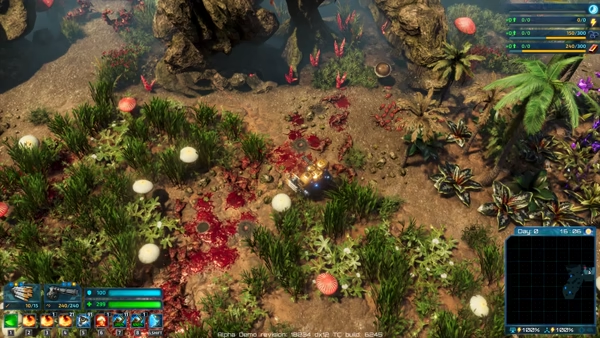
Without screen shake, this nuke-throwing minigun would look completely unrealistic. We wouldn't want that.
If we want to go one step further, we can use the various features built into gamepads these days. Apart from the usual vibration feature, modern pads also oftenr offer additional options for developers. The Xbox gamepad allows us to modulate the rumble effects felt through the triggers. We make use of that to give our guns a slightly different feel when firing. The DualSense controller gives us even more options, as we can modulate the amount of resistance each trigger provides. Thanks to this, we were able to emulate a real trigger mechanism for Mr. Riggs’ weapons. There is a short “preload” period as you start squeezing the button. Then, the resistance increases as you approach the trigger point. Only after you cross the required force threshold does the gun fire. We have separate trigger effects for various types of weapons, and also alter the behavior of the triggers when you have no ammo. It is a cool way to enhance the feeling of control over your mech’s guns.
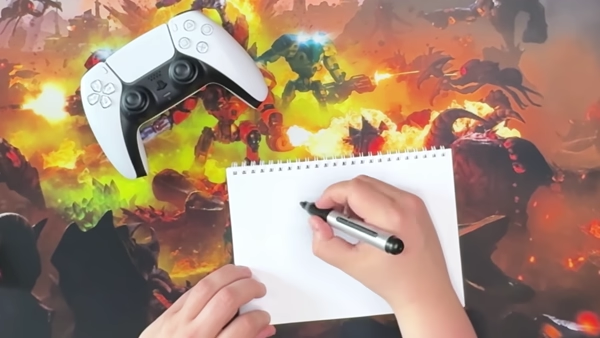
Here's some organic, free-range, corn-fed human-generated slop trying to explain how the adaptive triggers work.
One last, tiny detail that DualSense controllers allow us to put into the game is haptic feedback. Unfortunately, haptics are only supported on the PS5, and other controllers rarely have this feature. However, with the introduction of the new Steam Controller, we might find a way to implement this in the future! This tech enables developers to emulate various tactile sensations using highly specialized rumble motors built into the gamepad itself. They are very different from the usual, vibration-generating ones. Haptic feedback generators can modulate the intensity, frequency, and character of the effects they produce. Thanks to that, you can feel it in your hands when Mr. Riggs is walking on sand, snow, or wading through mud. You can feel the droplets of rain hitting your gamepad when it’s raining in the game. And the way these effects are generated is quite genius - you provide a custom, simplified sound sample to the gamepad’s software. The sound is converted into instructions for the haptic motors, without the need to program every minute vibration or bump. If you get the chance, try it on the PS5. A free demo is available there, too!
And that’s it for today! We hope that you learned something interesting today. As always, remember to follow us for more Riftbreaker news and gamedev articles. Sign up for our newsletter here, and join our Discord server at https://www.discord.gg/exorstudios!
Have a great weekend!
EXOR Studios